HuddleBell app icon
HuddleBell · Public Beta for macOS

Never miss today's Meet.

HuddleBell keeps today's Google Meet schedule in your macOS menu bar, with timely reminders and a safer join flow through Google's account chooser.

macOS 14 Sonoma or later Apple Silicon Public beta available
What it does

A small, calm piece of software for the noisy work day.

No dashboards, no notifications stacking up. Just today's meetings — exactly when you need them.

Menu bar first

Lives in the macOS menu bar. One click opens today's schedule, with the full day available when you need it.

Today's meetings, at a glance

Just today. The next Meet is always one glance away — past meetings dim, the current one stands out.

Join with the right account

When a Meet is starting or in progress, the popover surfaces a join path. It opens through Google's account chooser to reduce wrong-account joins.

Multiple Google accounts

Add personal and work calendars side-by-side. HuddleBell merges them into a single timeline.

Read-only Calendar access

HuddleBell only reads your events. It cannot create, edit, or delete anything on your calendar.

Local-first, lightweight

Calendar data is used locally on your Mac. OAuth tokens go in the macOS Keychain. No analytics or ads.

A closer look

Four small surfaces. One day in view.

HuddleBell only ever shows the surface you need at the moment — the popover for a glance, the window when you want the whole day.

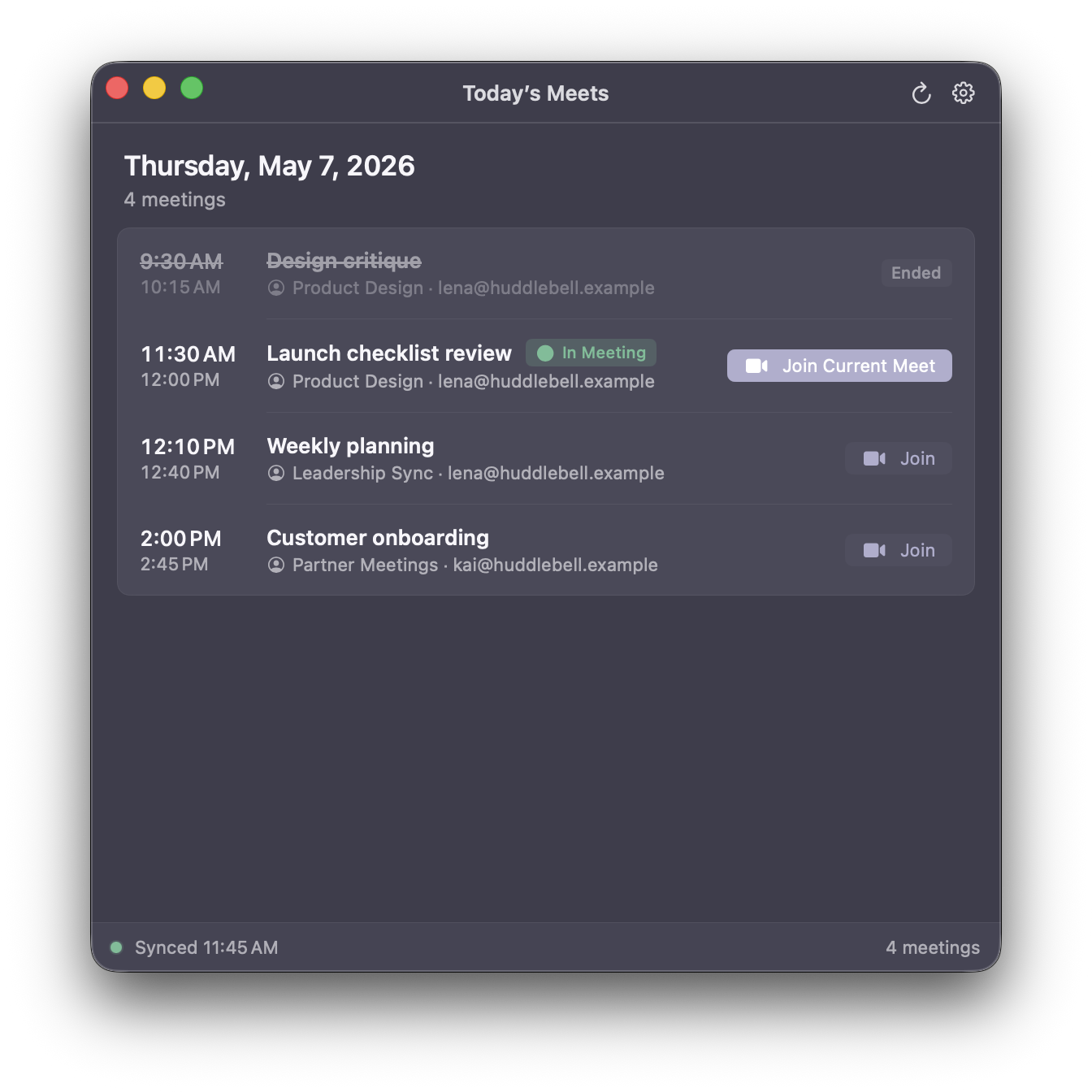
Today's Meets · Window

The whole day on one calm screen.

Past meetings fade. The current meeting lifts. The join path is visible, without hunting through tabs.

Today's Meets window listing four meetings, one currently in progress with a Join Current Meet button
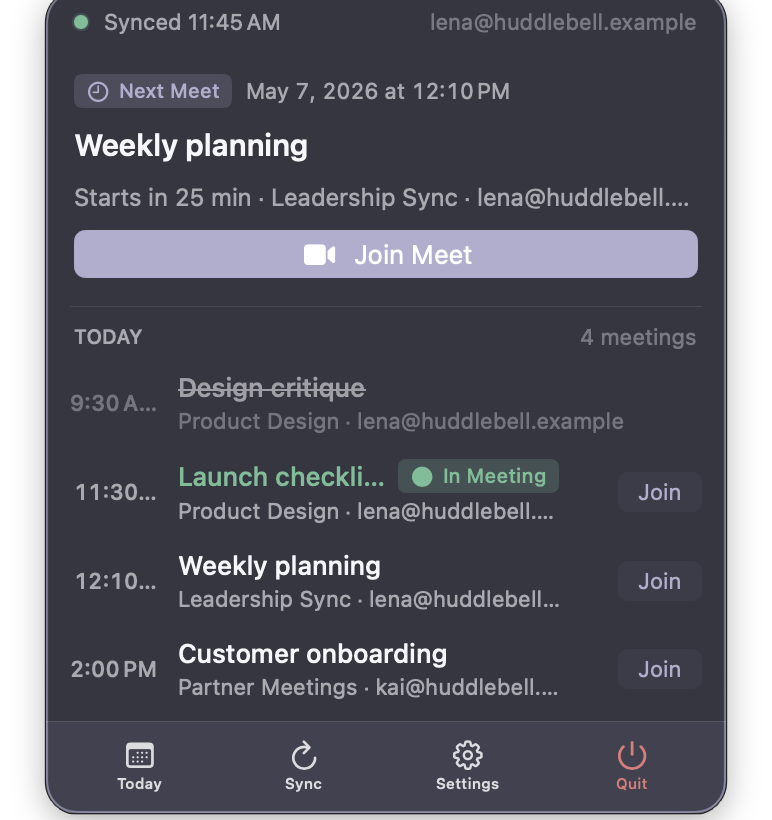
Menu bar · Next meeting

A glance, between meetings.

"Starts in 25 min." That's the whole greeting.

HuddleBell popover showing the next meeting, Weekly planning, starting in 25 minutes
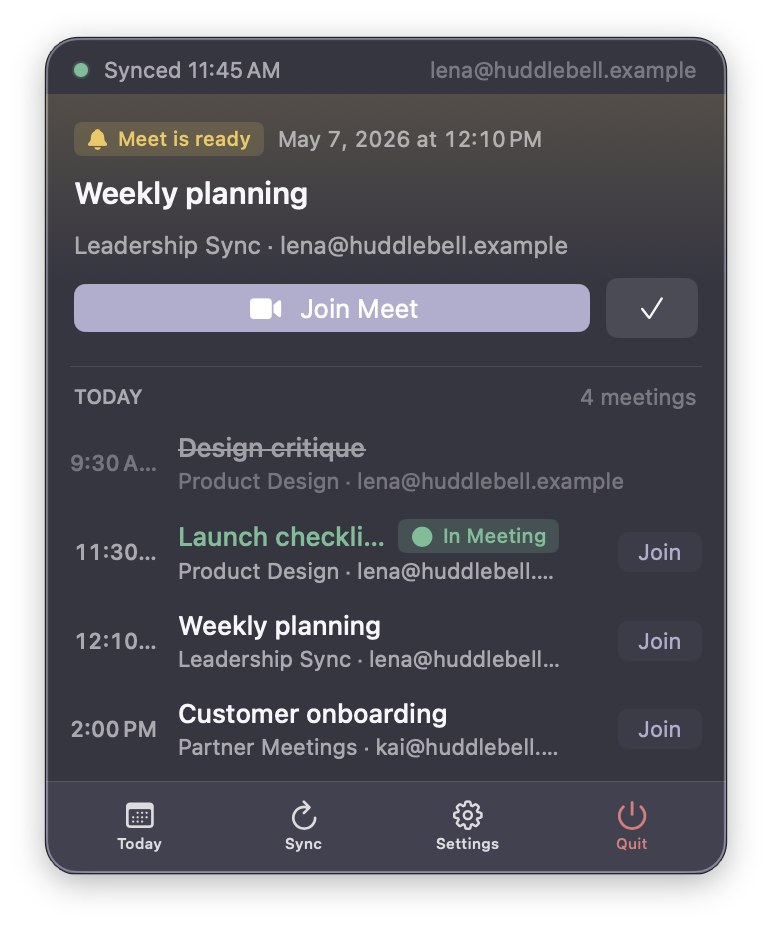
Menu bar · Ready to join

Two minutes out — ready.

A soft "Meet is ready" cue when you can join.

HuddleBell popover showing a Meet is ready, with Join Meet and dismiss buttons
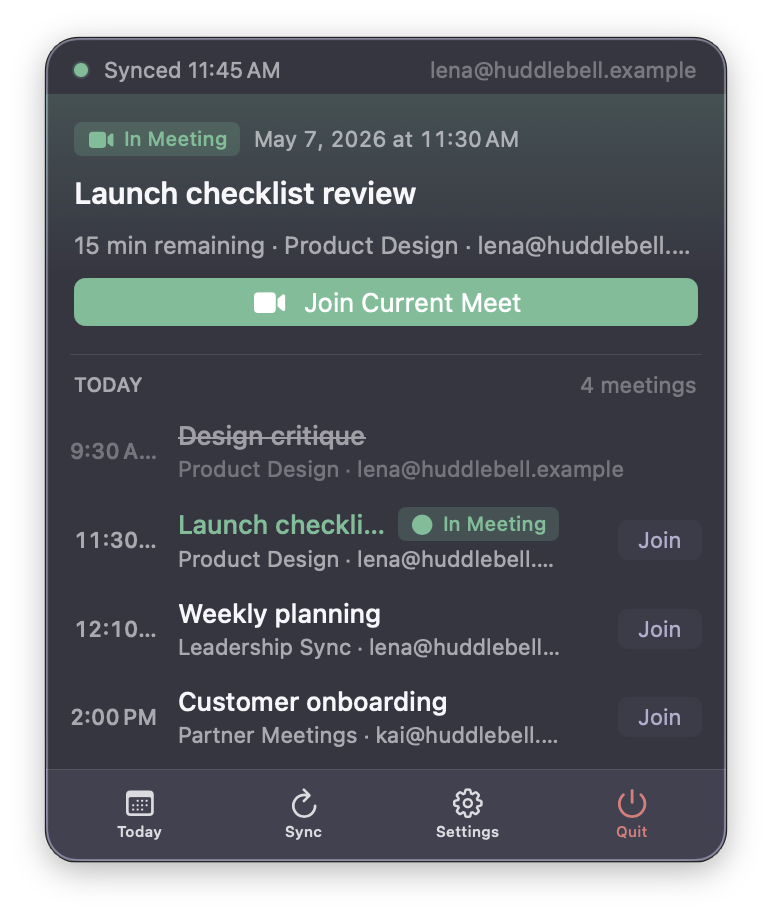
Menu bar · In a meeting

In a meeting? Join it again instantly.

Late, distracted, kicked off Wi-Fi — one click puts you back in the room.

HuddleBell popover showing a meeting in progress, with a Join Current Meet button
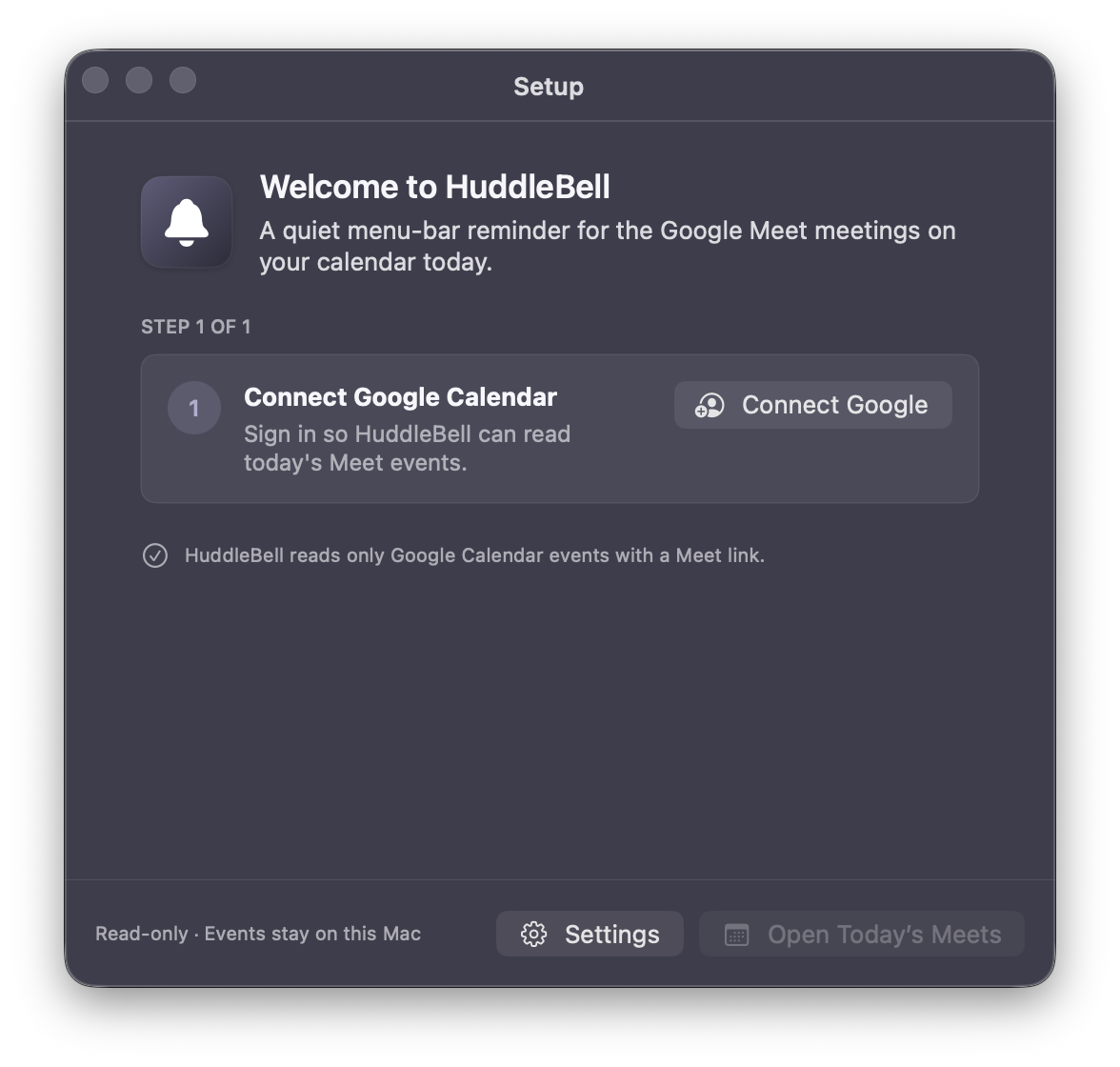
Setup

One step, then you're set.

Connect a Google Calendar. That's it. HuddleBell explains what it can and can't see, in plain words.

HuddleBell setup window asking to connect a Google Calendar, with read-only confirmation
Privacy by design

Read-only. Local-first. Boring on purpose.

HuddleBell asks for the smallest slice of access it can. Your calendar stays yours; your day stays on your Mac. Read the full privacy policy.

Public beta available

Put today's Meet schedule in your menu bar.

HuddleBell is currently available as a signed and notarized public beta for macOS. Download the latest build and move it to your Applications folder.

Distributed outside the Mac App Store Developer ID signed Universal binary

Core features are available, and HuddleBell is still being improved based on real user feedback.

HuddleBell is Developer ID signed and Apple notarized. Some browsers may warn about a new download until the file has more reputation.